

How to manually install Electron in your APP
In some disgusting countries with poor network conditions, such as North Korea, installing Electron can be challenging due to the limited connectivity. This article documents the manual installation process for Electron.
If you receive a request error: socket hang up, it means your network couldn't automatically install Electron due to current network conditions. The root cause is the failure to run the postinstall script, as shown in the image below:
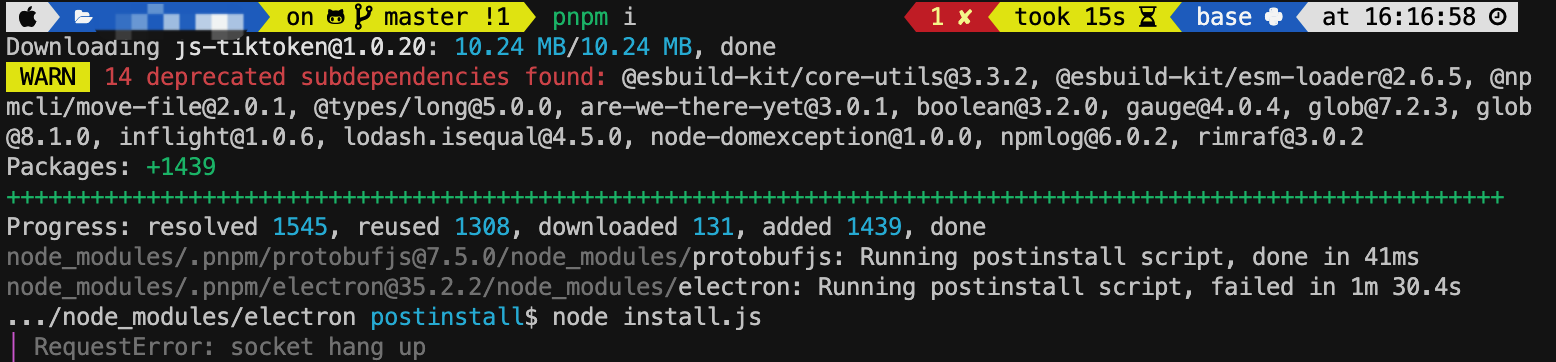
To address this, we first need to understand what the postinstall script does. As shown, it runs node install.js, which is located in the node_modules/electron directory.
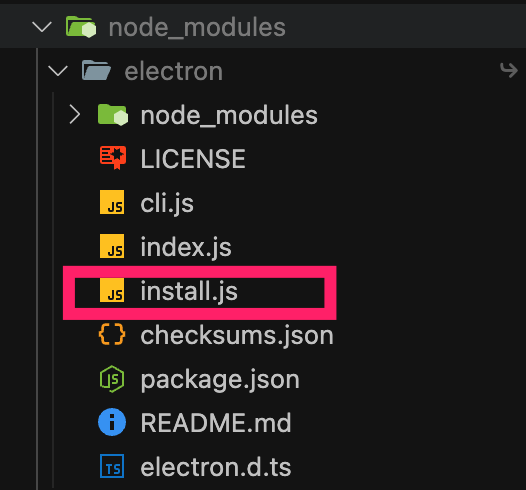
Let’s examine this file. In general, if the script detects that Electron is already installed by validating the version and electronPath, it exits. Otherwise, it downloads electron.zip via @electron/get and unzips it.
#!/usr/bin/env node
const { downloadArtifact } = require('@electron/get');
const extract = require('extract-zip');
const childProcess = require('child_process');
const fs = require('fs');
const os = require('os');
const path = require('path');
const { version } = require('./package');
if (process.env.ELECTRON_SKIP_BINARY_DOWNLOAD) {
  process.exit(0);
}
const platformPath = getPlatformPath();
if (isInstalled()) {
  process.exit(0);
}
const platform = process.env.npm_config_platform || process.platform;
let arch = process.env.npm_config_arch || process.arch;
if (platform === 'darwin' && process.platform === 'darwin' && arch === 'x64' &&
    process.env.npm_config_arch === undefined) {
  // When downloading for macOS ON macOS and we think we need x64 we should
  // check if we're running under rosetta and download the arm64 version if appropriate
  try {
    const output = childProcess.execSync('sysctl -in sysctl.proc_translated');
    if (output.toString().trim() === '1') {
      arch = 'arm64';
    }
  } catch {
    // Ignore failure
  }
}
// downloads if not cached
downloadArtifact({
  version,
  artifactName: 'electron',
  force: process.env.force_no_cache === 'true',
  cacheRoot: process.env.electron_config_cache,
  checksums: process.env.electron_use_remote_checksums ?? process.env.npm_config_electron_use_remote_checksums ? undefined : require('./checksums.json'),
  platform,
  arch
}).then(extractFile).catch(err => {
  console.error(err.stack);
  process.exit(1);
});
function isInstalled () {
  try {
    if (fs.readFileSync(path.join(__dirname, 'dist', 'version'), 'utf-8').replace(/^v/, '') !== version) {
      return false;
    }
    if (fs.readFileSync(path.join(__dirname, 'path.txt'), 'utf-8') !== platformPath) {
      return false;
    }
  } catch {
    return false;
  }
  const electronPath = process.env.ELECTRON_OVERRIDE_DIST_PATH || path.join(__dirname, 'dist', platformPath);
  return fs.existsSync(electronPath);
}
// unzips and makes path.txt point at the correct executable
function extractFile (zipPath) {
  const distPath = process.env.ELECTRON_OVERRIDE_DIST_PATH || path.join(__dirname, 'dist');
  return extract(zipPath, { dir: path.join(__dirname, 'dist') }).then(() => {
    // If the zip contains an "electron.d.ts" file,
    // move that up
    const srcTypeDefPath = path.join(distPath, 'electron.d.ts');
    const targetTypeDefPath = path.join(__dirname, 'electron.d.ts');
    const hasTypeDefinitions = fs.existsSync(srcTypeDefPath);
    if (hasTypeDefinitions) {
      fs.renameSync(srcTypeDefPath, targetTypeDefPath);
    }
    // Write a "path.txt" file.
    return fs.promises.writeFile(path.join(__dirname, 'path.txt'), platformPath);
  });
}
function getPlatformPath () {
  const platform = process.env.npm_config_platform || os.platform();
  switch (platform) {
    case 'mas':
    case 'darwin':
      return 'Electron.app/Contents/MacOS/Electron';
    case 'freebsd':
    case 'openbsd':
    case 'linux':
      return 'electron';
    case 'win32':
      return 'electron.exe';
    default:
      throw new Error('Electron builds are not available on platform: ' + platform);
  }
}
To work around the download issue, we can manually download Electron and skip the download phase, using only the unzip function. Referring to the first image, the required Electron version is 35.2.2, which can be downloaded from: https://github.com/electron/electron/releases/tag/v35.2.2.
I'm using an M1 Mac, so I downloaded the: electron-v35.2.2-darwin-arm64.zip.
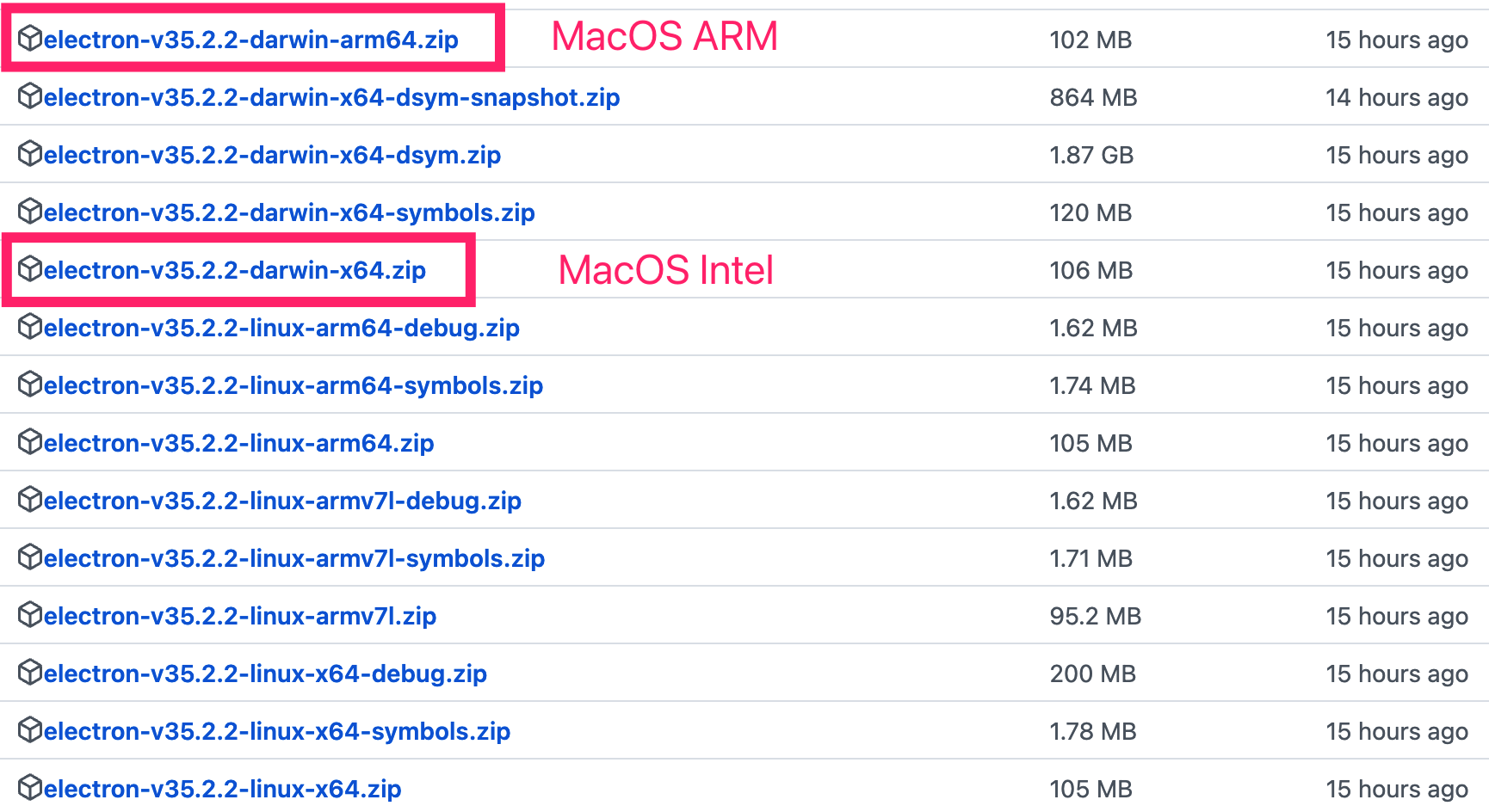
Once downloaded, move the file to the node_modules/electron directory:
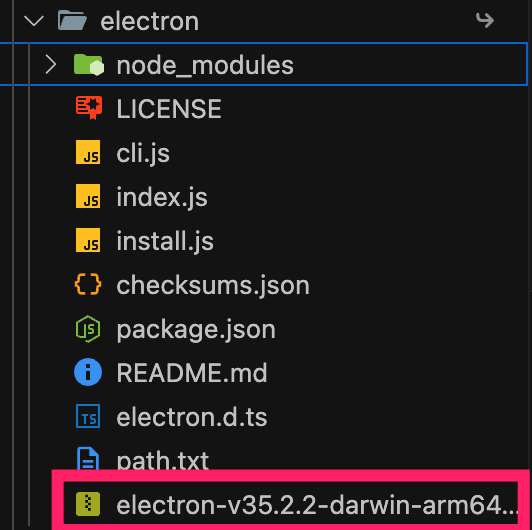
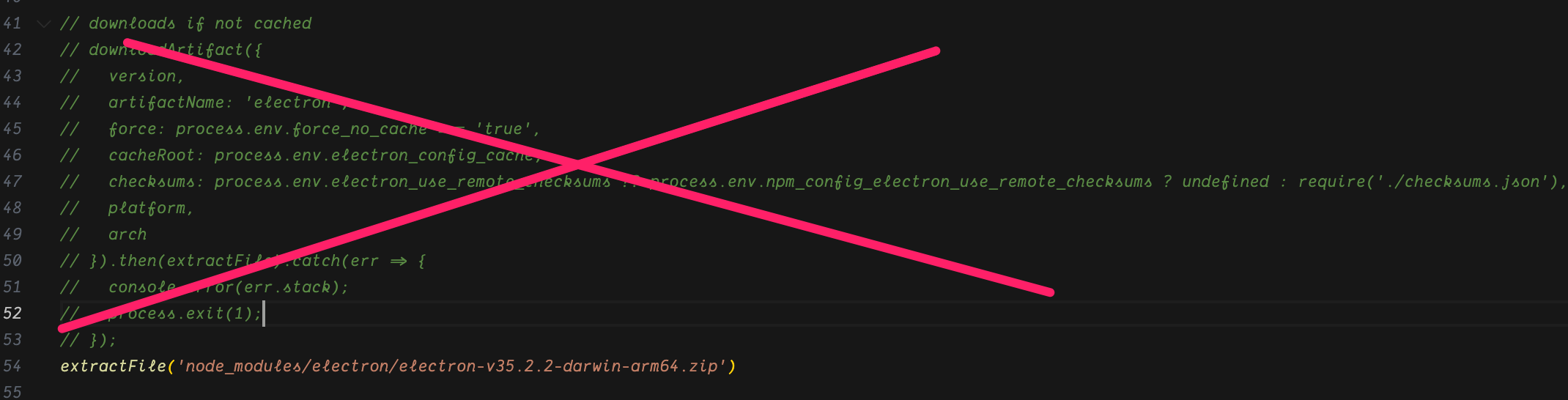
Then, modify install.js as follows:
Comment out the
downloadArtifactfunction call.Directly add this line:
extractFile('node_modules/electron/electron-v35.2.2-darwin-arm64.zip')
Finally, run the following command from your project root:
node node_modules/electron/install.js
This will unzip the file, completing the manual Electron installation for your app.